
30+studios in the catalogue
Thousandsof titles in the lobby
24/7live chat and support
11%cashback at the top level
Two fields, and what sits behind them
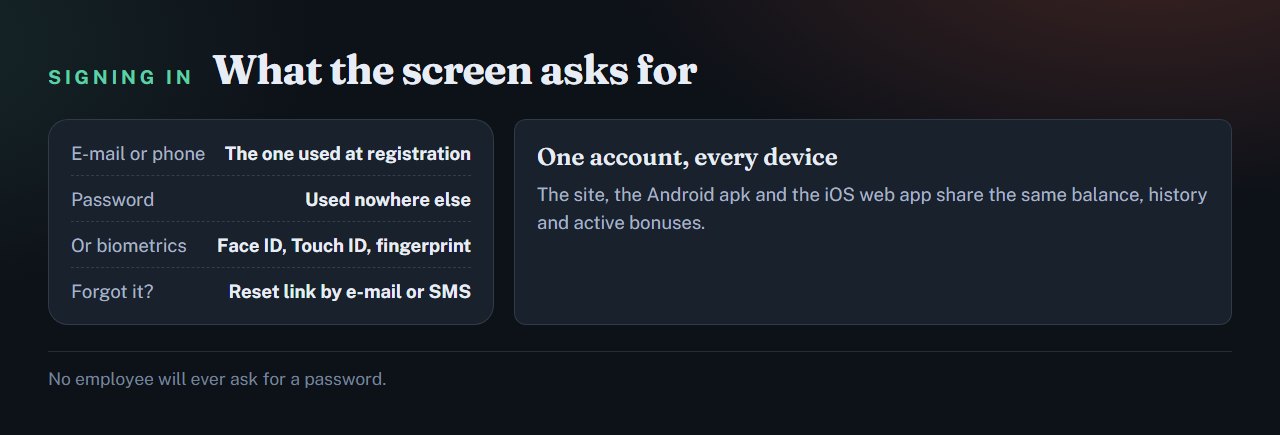
The sign-in screen wants the contact the account was opened with — an e-mail address or a phone number — and the password. There is no third step. The same credentials open the website, the Android build and the iOS web app, because all three are windows onto one account.
Ten seconds or ten minutes usually comes down to two things: having the password to hand, and being able to open the mailbox or SMS inbox tied to the account. Both are easier to confirm before you begin than halfway through.
Sign in and pick up where you left offBalance and history are waiting on the account.
Go to lilbetWhen the password comes back refused
- Look at the keyboard first. Caps lock and a stray language layout account for more refusals than everything else combined.
- Read the address bar. A mirror or a misspelt domain will reject a password that is entirely correct.
- Use the contact you registered with. A second e-mail, however valid, matches no account.
- Request a fresh reset link. They expire by design, so an old one in the inbox opens nothing.
- Ask support, on chat or by e-mail at any hour. They can see the state of the account, which no guide is able to do.
An account that opens normally but holds a payout is a different matter — that is verification, not sign-in.
Signing in on a phone
After the first login the Android build will take a fingerprint or a face instead of the password. Whether an iPhone does the same comes down to the handset. The password has not gone anywhere underneath, and it is still worth keeping unique: biometrics open the app on that one device, not the account at large.
Verification pays for itself early
Identity documents are requested once, ahead of the first withdrawal, and the app will take the photographs with the phone camera. The review runs up to seven business days and the payout itself usually lands within 0 to 48 hours of approval — which is why clearing the check in advance is what keeps that window short.
Money also goes back the way it came, to the method that funded the account. That requirement comes from anti-money-laundering rules, not from the operator.
Two habits worth keeping
A password used nowhere elseReuse is how accounts of every kind are lost, gambling or not.
Credentials that stay yoursNo employee will ever ask for them, and no tipster needs them.
Biometrics on the handsetA face or a fingerprint opens the app without typing anything.
Sellers of crash predictors ask for account access far more often than their pitch would suggest they need to. The product is fiction either way: a round has no result until it runs, so there is nothing to read in advance.
Open your account the safe wayStraight to lilbet, with no mirror in between.
Go to lilbetDo I need a separate account for the app?
No — one account serves the site, the Android build and the iOS web app, with balance, history and running bonuses identical across all three.
The password is gone. What now?
Start the reset on the lilbet site. The link goes to the e-mail or phone number the account was registered with and expires after a while, so ask for a new one rather than reusing an old message.
Why is my withdrawal waiting?
Usually the identity check that precedes a first payout. The review takes up to seven business days, and approved money normally arrives within 0 to 48 hours.
Does biometric sign-in work here?
On the Android build, yes: after the first sign-in a fingerprint or a face replaces the password on that device. An iPhone may or may not, depending on the handset.
Everything described here sits in one place
One account for sport, live casino, slots and lil games, in dollars or the currency you keep. For adults over 18.
Start at lilbetRead next